Magic ISO Maker: a smart utility for ISO management
Magic ISO Maker, developed by MagicISO, Inc., is a powerful application designed for creating, editing, and managing ISO files. This software lets you extract, edit, create, and burn disc image files. Additionally, it can convert between ISO, CUE/BIN, and its own Universal Image Format (UIF).
Top Recommended Alternative

Designed for simplicity and speed
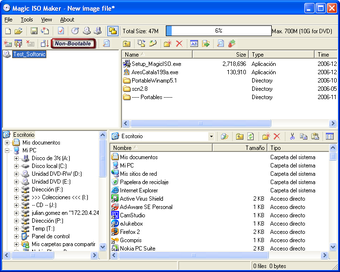
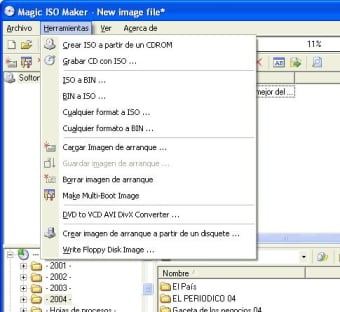
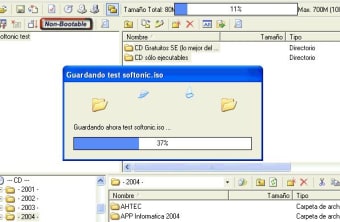
Magic ISO Maker features a clean and intuitive user interface that resembles classic Windows applications. It employs a standard menu bar, a toolbar, and an explorer-style file browser, making it easy for users to navigate its array of functions. Even users unfamiliar with ISO handling will find that most tasks can be performed with just a few clicks. Key functionalities include creating ISO images from files and folders, editing existing ISO images without extraction, extracting files from ISO archives, and creating bootable ISO images and UDF image files.
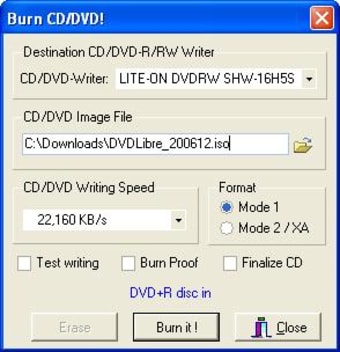
This combination of simplicity and ease of navigation makes the software accessible for both beginners and intermediate users. However, it is important to note that burning capabilities are not included, necessitating additional software.
Enhanced compatibility and performance
With broad support for various disc image formats, including ISO, BIN, and CUE, this software is suitable for users dealing with multiple image types. It is generally compatible with most virtual drive software, including Daemon Tools and Alcohol 120%, allowing for seamless integration into different workflows. The trial version has a size limit and cannot work with disc images larger than 300 MB.
Magic ISO can read and write disc images without decompressing or moving files. It can also convert data from existing CD or DVD-ROMs into disc image files and create bootable images with the .bif extension. Furthermore, the optional MagicISO Virtual CD/DVD manager allows users to directly month disc images.
A smart utility worth downloading
Magic ISO Maker offers essential tools for effectively managing ISO files, appealing to both casual users and beginners. With support for numerous file formats like BIN, IMG, and NRG, the program stands out for its reliability and user-friendly design. However, advanced users may find limitations in more sophisticated features compared to competitors.
In conclusion, while Magic ISO Maker excels in core ISO management functions, advanced users seeking in-depth tools may need to explore alternatives like PowerISO or UltraISO. Nonetheless, for straightforward ISO management, Magic ISO Maker proves to be a practical choice.